When the NEET admit card is released, most students already know they need to download it online. Still, every year, many get stuck at this step, not because it’s complicated, but because of small mistakes like rushing, forgetting login details or waiting till the last moment.
So it’s better to understand the process beforehand and avoid unnecessary stress later.
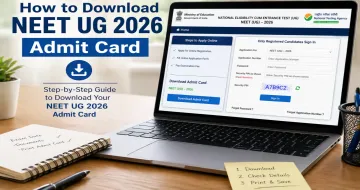
How to Download NEET UG 2026 Admit Card
The admit card will be available only in online mode. It will not be sent by post or through any offline method. You just need your login details and a few minutes.

Follow these steps:
- Visit the official NEET website
- Look for the “NEET UG 2026 Admit Card” link on the homepage (once released)
- Click on the link to open the login page
- Enter your application number and date of birth/password
- Submit the details
- Your admit card will appear on the screen
- Download and save the file
- Take 2–3 printouts for safety
Don’t Just Download — Check Everything
Many students download the admit card and don’t check the details properly. This can create problems later.
Make sure you verify:
- Your name and spelling
- Your photograph
- Exam centre details
- Exam date and timing
If you notice any mistake, don’t ignore it. Report it immediately and get it corrected.
When Should You Download It?
Don’t wait till the last day.
The official website often becomes slow due to heavy traffic when thousands of students try to download at the same time. This leads to panic and unnecessary stress.
Best approach: Download your admit card as soon as it is released.
What If You Forget Login Details?
This is quite common.
If you forget your application number or password, you can recover it using the “Forgot” option on the login page. However, this process can take time.
Tip: Save your login details in a safe place (phone notes, diary or email).
Common Mistakes to Avoid
These small mistakes can create big problems:
- Waiting till the last day
- Entering incorrect login details repeatedly
- Not checking admit card details
- Taking only one printout
- Misplacing the printed copy
Practical Tips to Stay Safe
- Save your login details somewhere easy to access
- Keep the admit card saved on both phone and laptop
- Take multiple clear printouts
- Carry extra copies in your exam file
Why the Admit Card Is Important
The admit card is not just a formality, it is mandatory for entry into the exam centre.
Without it, you will not be allowed to appear for the exam. So make sure you download it on time and keep it safe.
Final Thoughts
The process of downloading the NEET UG 2026 admit card is simple. What usually causes problems is last-minute rush or carelessness.
So when the admit card is released:
- Log in calmly
- Download it
- Check all details
- Keep it safe
Once this is done, you can focus completely on your exam preparation without worrying about this step.