NEET UG 2026 Admit Card Not Downloading? Quick Solution Guide
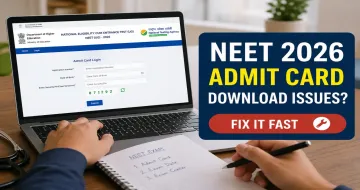
If you're preparing for NEET UG 2026, downloading your admit card is one of the most important steps before the exam. However, many students face issues like website errors, login problems, or slow downloads.
In this guide, we’ll help you fix NEET 2026 admit card download issues quickly so you don’t panic at the last moment.
Common NEET 2026 Admit Card Download Problems
Here are the most common issues students face while downloading their NEET UG admit card 2026:

- Website not loading or crashing
- Incorrect login credentials
- Admit card not showing
- Slow download or server error
- Page timeout during download
These problems usually happen due to high traffic on the official website.
How to Fix NEET 2026 Admit Card Download Issues Fast
1. Check Official Website
Always download your admit card from the official website of the National Testing Agency (NTA).
Avoid third-party links to prevent errors.
2. Verify Login Details
Make sure you are entering:
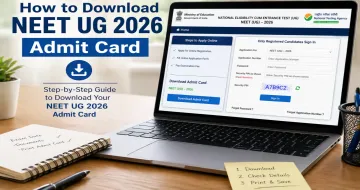
- Application Number
- Date of Birth
- Security Pin correctly
Even a small mistake can stop your NEET admit card download.
3. Try at Off-Peak Hours
The website gets overloaded during peak time.
Try downloading early morning or late night for faster access.
4. Clear Browser Cache
Sometimes browser issues cause problems.
- Clear cache & cookies
- Use incognito mode
- Try different browsers (Chrome, Edge, Firefox)
5. Use a Stable Internet Connection
Slow internet can interrupt your NEET hall ticket download.
Use a strong Wi-Fi connection instead of mobile data.
6. Disable VPN or Extensions
VPNs or browser extensions can block the website.
Turn them off and try again.
7. Check for Official Updates
Sometimes admit cards are delayed.
Stay updated with announcements from National Testing Agency.
Steps to Download NEET 2026 Admit Card
Follow these simple steps:
- Visit the official NTA NEET website
- Click on “Download NEET UG 2026 Admit Card”
- Enter your login details
- Click on submit
- Download and print your admit card
Important Details to Check on Admit Card
After downloading, verify:
- Your Name & Roll Number
- Exam Date & Time
- Exam Center Details
- Photograph & Signature
If there’s any mistake, contact NTA immediately.
Final Tips
- Don’t wait till the last day
- Keep multiple printouts
- Save a PDF copy on your phone
Conclusion
Facing issues while downloading your NEET 2026 admit card is common, but easy to fix. By following the steps above, you can quickly resolve any problem and stay stress-free before your exam.
Subscribe for 2026 Updates!
Latest Blogs
Read More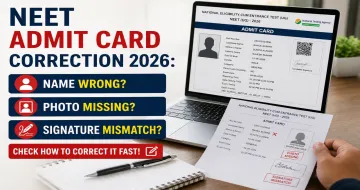







Become a member and stay up to date with our favorite topics and publications.